 Calendar Catcher
If it has a date,
it's on your calendar.
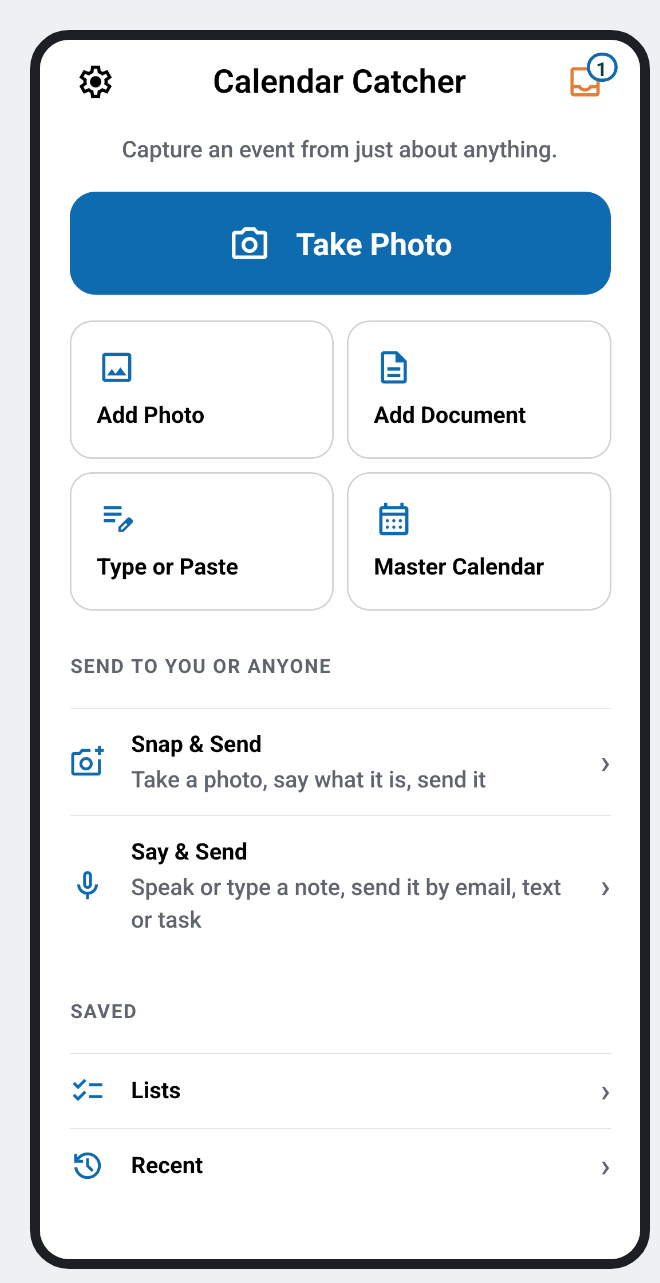
Snap a flyer, a handwritten note, an appointment card or a whole school year. Calendar Catcher reads it, you check it, and it's added — in seconds.
 Calendar Catcher
Snap a flyer, a handwritten note, an appointment card or a whole school year. Calendar Catcher reads it, you check it, and it's added — in seconds.
How it works
The things that turn into events are everywhere — and almost never in a form you can just add. Calendar Catcher closes that gap.
Take a photo, paste a message, say it out loud, or add a document.
Title, date, time and place come back as an editable event, with any clash with your day flagged.
One tap puts it on your phone's calendar, Google or Outlook. Nothing is added without your OK.
See it in action
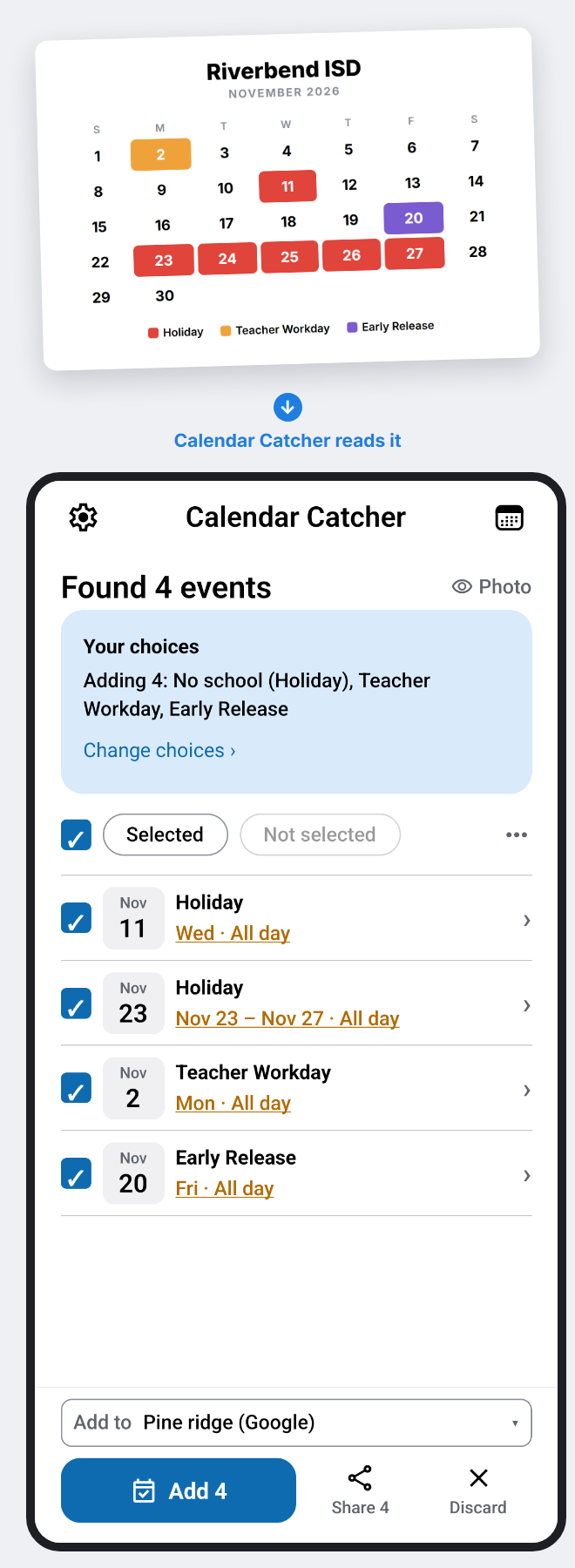
Photograph a printed school, district or league calendar, or add its PDF. Master Calendar finds every holiday, early release and day off, asks which ones matter to you — whose days, which grades, which track — and adds just those. When a revised copy comes out, photograph it and see only what changed.
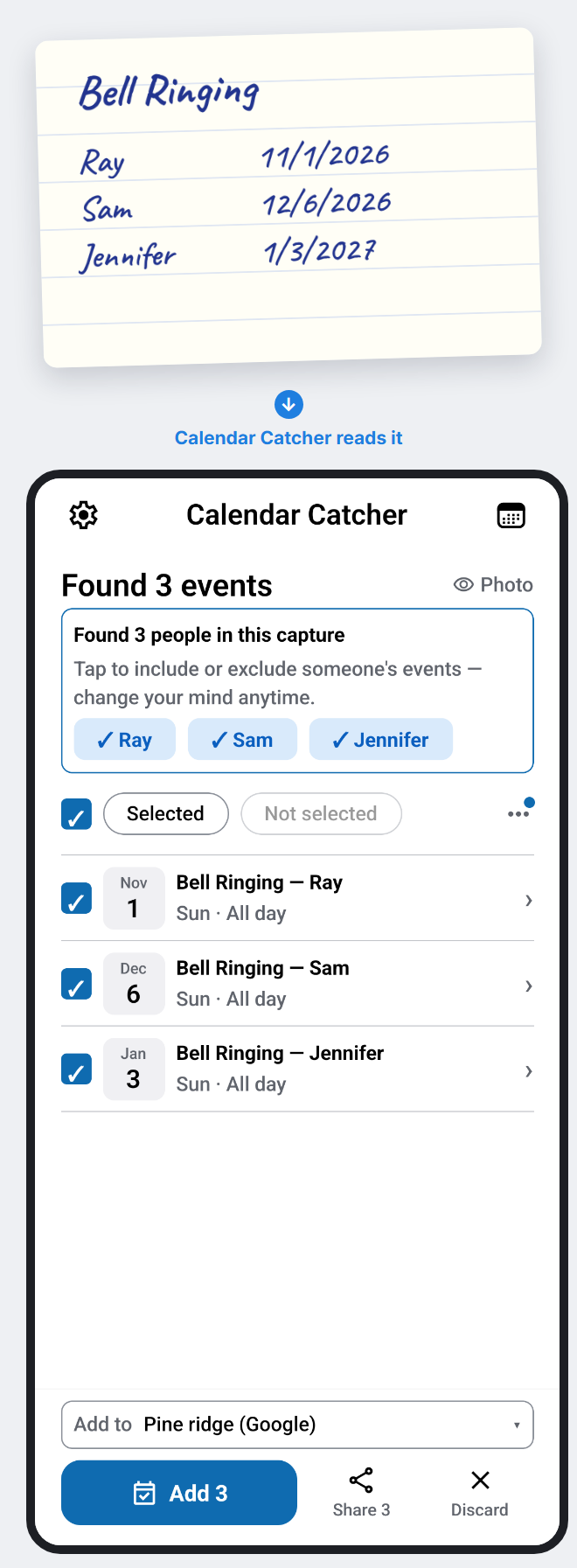
A scribbled note with three people and three dates comes back as three separate events, each named and dated, ready to check.
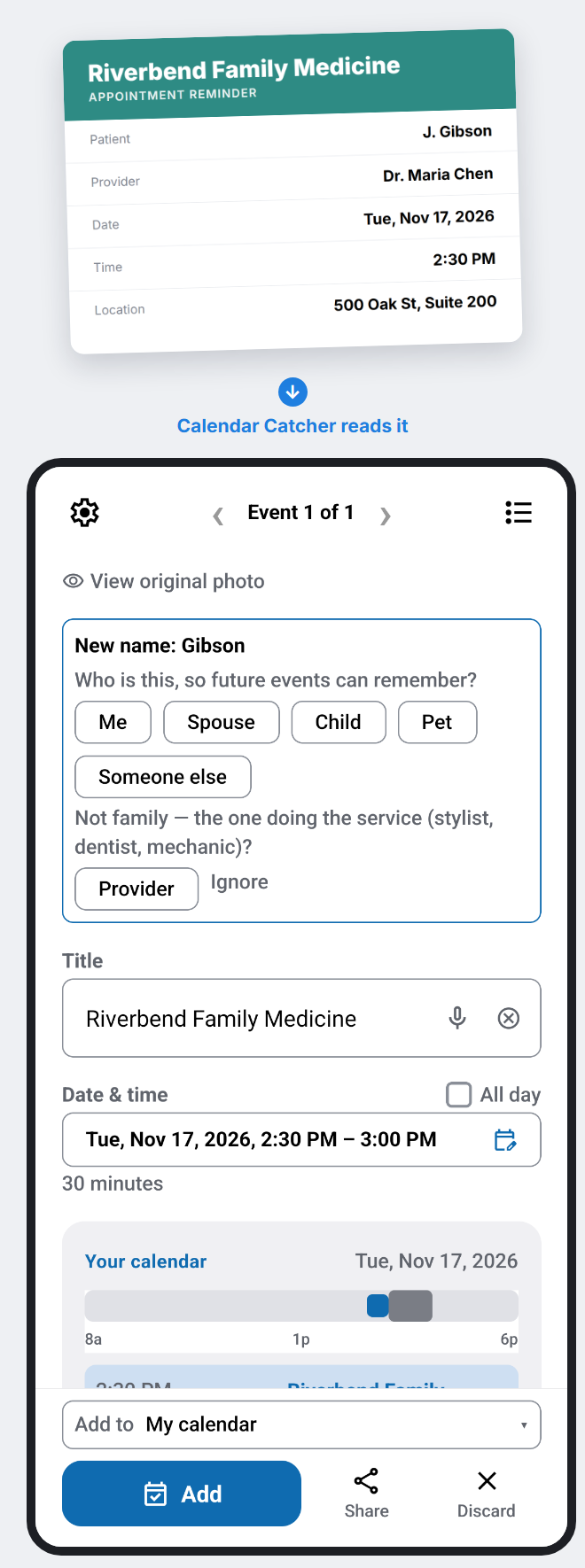
Doctor, dentist, vet. Date, time and place land in the right fields, and you see the rest of that day so a clash is obvious before you add it.
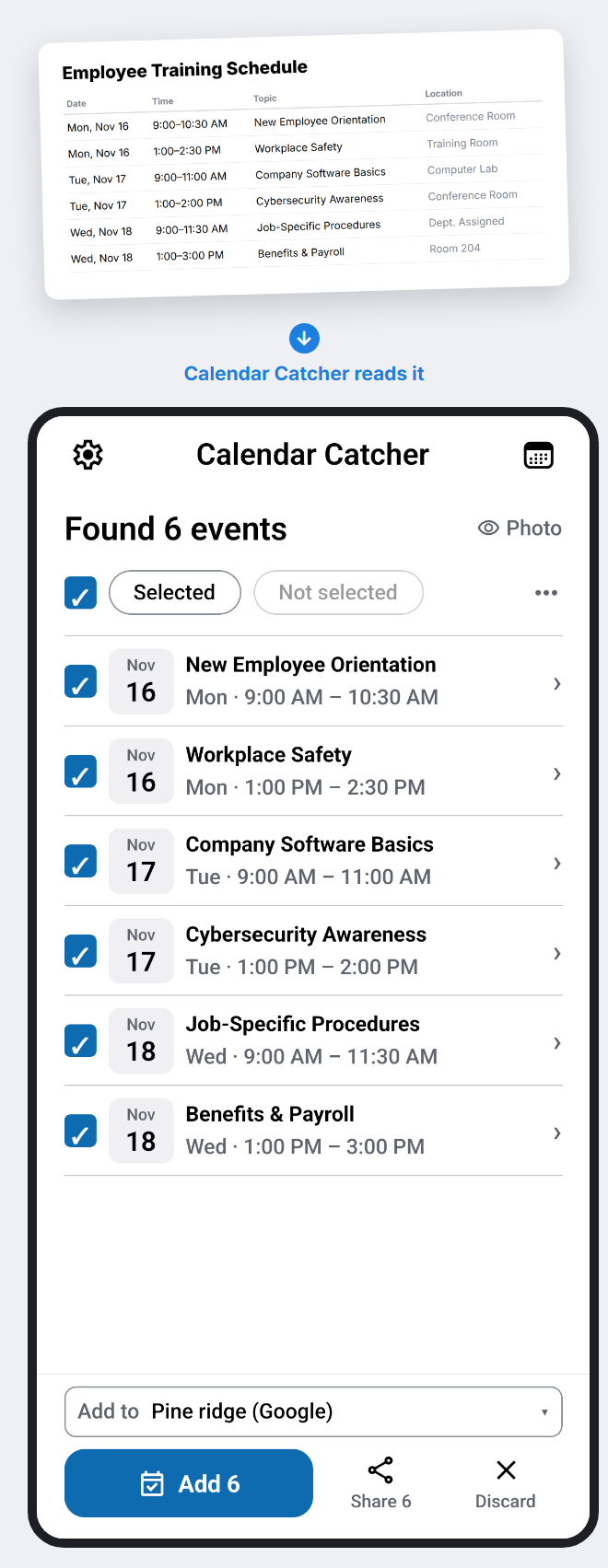
A training plan, a shift calendar, a syllabus. One document in, every session out as its own event — no retyping a week of times by hand.
Also built in
See what else is on that day while you review, and move it before it collides.
Your phone's calendar works with no sign-in. Connect Google or Microsoft to add there and invite others.
Hold onto things that don't have a date yet, synced to your task app, until they do.
Not everything is an event. Snap a photo or say a note and send it to whoever will take care of it.
Free & Pro
Beta testing
Calendar Catcher isn't in the app stores yet. Testers get every new build automatically.
Google Play testing. Ask for an invite, then read the Android guide.
Ask for an invite and you'll get an install link, then read the iPhone guide.
To join or ask a question, write to support@calendarcatcher.com. Found a bug? Settings → About & sharing → Report a bug. What's new: Android · iPhone.
Help & support
Start with a how-to guide. If that doesn't cover it, we're one email away.
Short, step-by-step help for one job at a time.
In the app: Settings → About & sharing → Report a bug. Or write to support@calendarcatcher.com.